Deactivate a License (Cloud)
Deactivating the software frees up one of your activation slots, allowing you to activate the software on a different machine if needed. Like activation, it is a quick and straightforward process.
Before You Begin
You will need an active internet connection with access to https://software.clearfrostengineering.co.uk before carrying out the deactivation process.
Deactivating the Software
- Click the Deactivate License button on the CFE-DDM Ribbon bar tab.

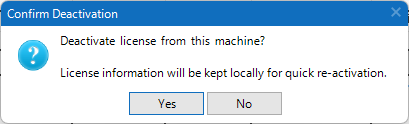
- You will be asked to confirm if you want to deactivate the license from this machine.
- The software will contact our server and deactivate your license on this machine automatically.
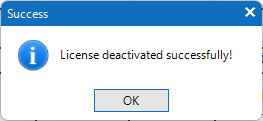
- You will receive a confirmation message once your license has been deactivated.
Things to Note
- Once deactivated, you will no longer be able to use the software on this machine until it is activated again.
- Deactivating the software does not remove your license. Your license remains valid and can be used to activate the software on another machine.
- If you wish to use the software on this machine again in the future, you will need to repeat the activation process. Click here for more information on activation.